For teachers

Review puzzles your students play on their phones.

Add a unit’s questions once. Post one link in Whiteboard, Moodle or Google Classroom, and every time a student opens it they get a fresh puzzle to review with.

A free account for you. Students never sign in.

Try it as a student

Scan with your phone

A quick demo puzzle anyone can solve. No sign-up.

Or try it here

Your vocabulary list, turned into a puzzle they actually think through.

Type in your words and definitions. Students read each clue, work out the word, then hunt it down in the grid. Free to make, ready to print in minutes.

No account needed to make and print.

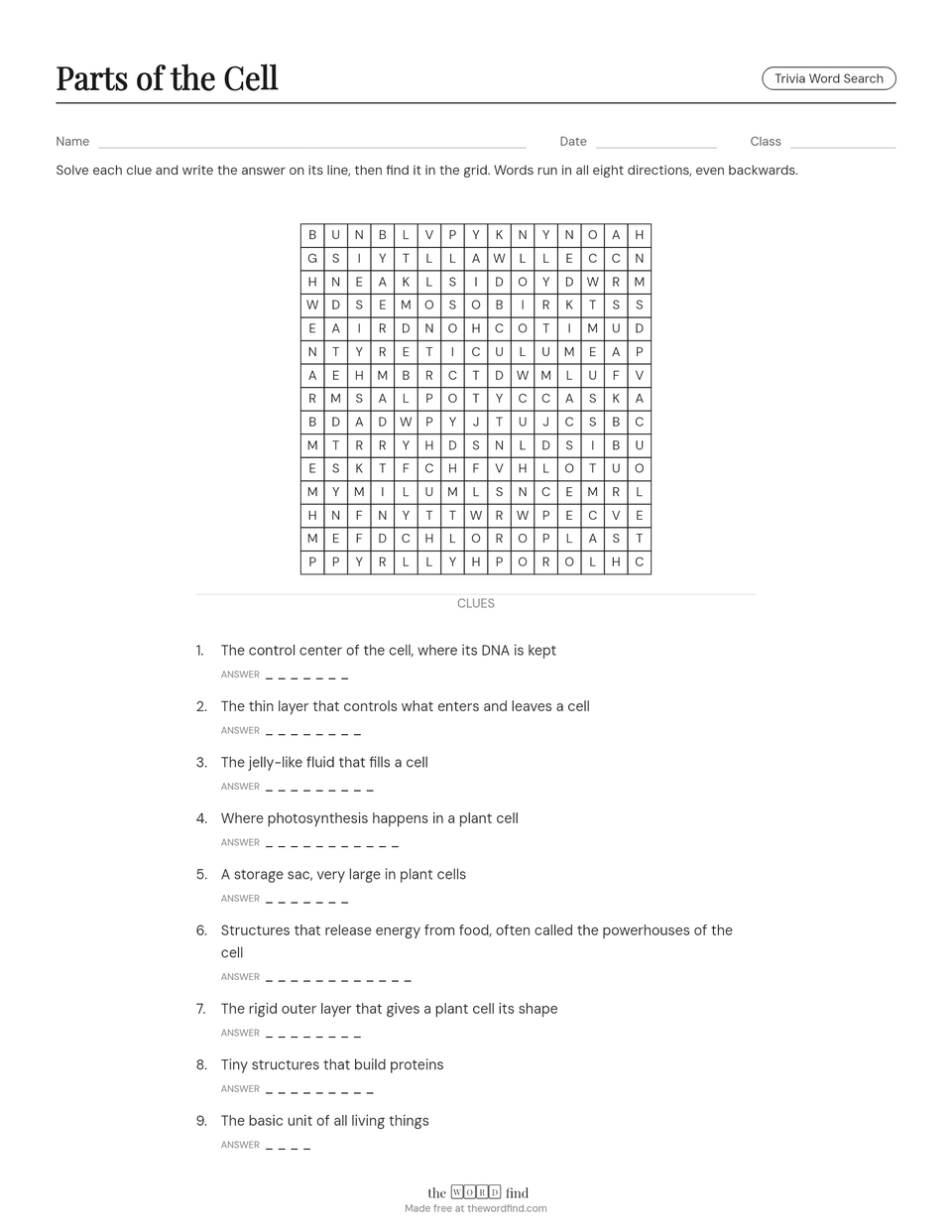
A real printout from the maker: a Parts of the Cell clue word search with Name, Date and Class lines, a 15 by 15 grid and numbered clues with answer lines
Explore

How Study Sets work

  1. Add your questions

    Type each question and its answer — one-word answers, up to 15 letters.

  2. Share one link

    Paste it into your class portal or a message. It never changes, so you post it once.

  3. Students review

    A new puzzle every time they play — as many rounds as they like, no account needed.

Trivia or Classic. Students read a clue and find the answer, or simply find the words.

Organized your way. Group units into courses, and share a course link that mixes every unit for exam review.

Fix mistakes any time. Every question stays editable, and likely problems are flagged for you.

Prefer paper? The Printables tab makes worksheets with an answer key, no account needed.

Not just “find the word.” Students have to know it first.

Every clue is a definition, a review question, or a fact from your unit. Students recall the answer, then search for it, so the puzzle becomes practice instead of busywork.

It checks itself. If a student's answer isn't in the grid, they know to think again before they ever hand it in.

It works for any subject: science terms, history dates, French vocabulary, characters from the novel you're reading.

Made for the moments you need it

Test review
Paste in your review questions. Students practise recall without it feeling like another quiz.
Early finishers
Meaningful, on-topic work for the students who are done first, tied to what you're teaching this week.
Sub plans
Print a few on Friday. A no-prep, on-topic activity any substitute can hand out.
Bell ringers and morning work
Five quiet, focused minutes to start the day or settle a class after lunch.

How it works

  1. Enter your words

    Add each word with its clue or definition. For a plain word search, switch to Classic word search and paste a list.

  2. Choose a grid size

    Smaller grids for younger students, bigger ones for a challenge. Create, and the puzzle is built for you.

  3. Print and hand it out

    Download a printer-ready PDF with Name, Date and Class lines at the top, and an answer key for you.

Make a classroom puzzle

Ready-made puzzles for your classroom

Browse puzzles teachers can print as they are, or open one and change the words to fit your lesson.

Browse classroom puzzles →

Questions teachers ask

Is it really free? Do I need an account?

Yes, it's free. You can make and print a puzzle without an account. A free account lets you save your printable puzzles to edit or reprint later.

How many words can I use?

At least 12 words, and more as the grid gets bigger: up to 33 words, each with its own clue, in a trivia word search, and up to 75 in a classic word search with no clues. Long clue lists simply continue onto a second page.

Is it right for my grade?

You write the words and clues, so it fits any grade and any subject. For younger classes, try a classic word search with a short list on a small grid. Older students get more out of a trivia word search, where they have to know the word before they can find it.

Is there an answer key?

Yes. One click downloads a color answer key with every word marked in the grid and every answer listed underneath. Keep it on screen or print it.

What format are the downloads?

PDF, sized for US Letter paper, so the puzzle and answer key print at the right size. A PNG image is available too if you want to add the puzzle to slides or a document.

Can students solve it on a device instead of paper?

Printable puzzles are made for paper. With a free account, you can build the same puzzle to play online and share a link with your class.

How long does it take to make one?

A few minutes. Type or paste your words and clues, choose a grid size, and download a printer-ready PDF.

Tomorrow's review, ready tonight.

Make a classroom puzzle